Anyone can fake a resume.
You can't fake real work.
Hiring rewards whoever writes the best resume — not whoever did the best work. OnlyWorks is the new resume: a desktop app that turns your real work into proof, on one shareable link. Free for job seekers, on macOS and Windows.
- Free to use
- You start & stop every session
- Nothing shared until you choose
 preview
You’re always in control.
You start it, you stop it
Sessions only run when you choose to run them. Close the app and nothing happens in between.
You choose what’s shared
Every report is a draft until you publish it. Edit or remove anything before it ever reaches a link.
Built to verify, not to snoop
Only what happens inside a session, and only what you choose to publish, is ever used. Full stop.
Your work, becoming proof.
A resume is a story you tell.
This is proof.
OnlyWorks is a desktop app you run while you work. It turns what you actually did into a verified report you can share.
Hiring is broken right now
Anyone can write anything on a resume — and plenty do. Exaggerated, embellished, flat-out faked. The system rewards the best storyteller, not the best worker, and now AI writes the fiction by the thousand. If you actually did the work, you’re competing against made-up people who look just as good on paper.
It’s an app you run while you work
Download it for macOS or Windows, sign in, and start a session when you sit down to work. It runs alongside you in VS Code, Figma, Chrome — whatever you already use. You start and stop each session.
"Verified" means it’s backed by your real work
OnlyWorks builds your report from what you actually did during your sessions, and an AI corroborates each skill against that work. That’s the difference between a claim and proof — it’s evidence-based, not a self-reported bullet. (It isn’t cryptographic or identity verification.)
You get one link that grows
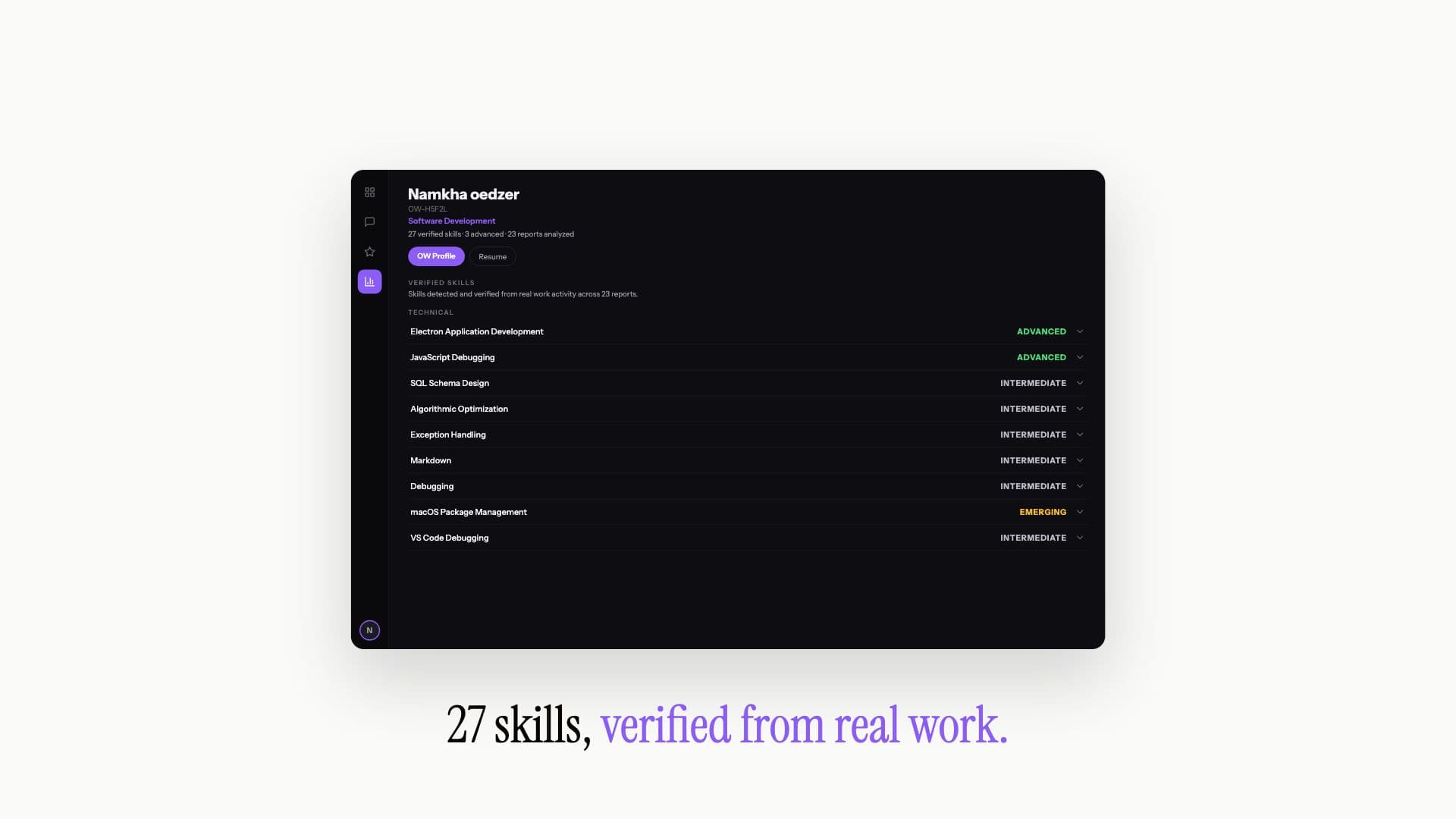
Your report lands on your OW Profile — one link that grows with every session. You choose what’s on it and who can open it. Send it to an employer or a client instead of a resume.
 preview
You decide what’s on your profile and who can open the link. How OnlyWorks handles your data →
Everything you need.
Nothing you don't.
Get past the AI-resume wall
Hiring managers are drowning in AI-written resumes that all say the same thing. A verified report built from your real sessions is something they can actually check — so you get read, not skipped.
Stop telling employers what you did. Show them.
Every report is built from real work sessions: actual skills, actual accomplishments, actual impact. Not bullet points you wrote about yourself.
One link, the full picture
Your OW Profile is a single link that grows with every session. Share it with an employer or a client — it speaks for itself.
You’re in control of your proof
Sessions only run when you start and stop them. You choose exactly what goes on your profile and who can open the link.
Real work doesn’t
require a job title.
Already working
Freelance gigs, internships, a job — run sessions on what you’re already doing and turn it into proof you can send instead of a resume.
Still building
Class projects, personal builds, open source, a bootcamp portfolio. If you did the work, it counts — you don’t need a paycheck to have proof.
Between things
Career pivots, contract work, unpublished research — the stuff that’s real, relevant, and never fit cleanly on a one-page resume.
Three steps.
From your work session to a shareable link.
Sign in and start a session
Download the free app, sign in with Google, LinkedIn or email, and start a session when you begin working. It runs alongside you while you work — you start and stop it.
Do your work
Just do your normal work. When you end the session, OnlyWorks turns what you did into a verified report — your real skills, accomplishments and impact — written for you.
Share one link
Your report lands on your OW Profile. Send one link to an employer, a client, anyone. They see proof backed by real work, and you decide who can open it.
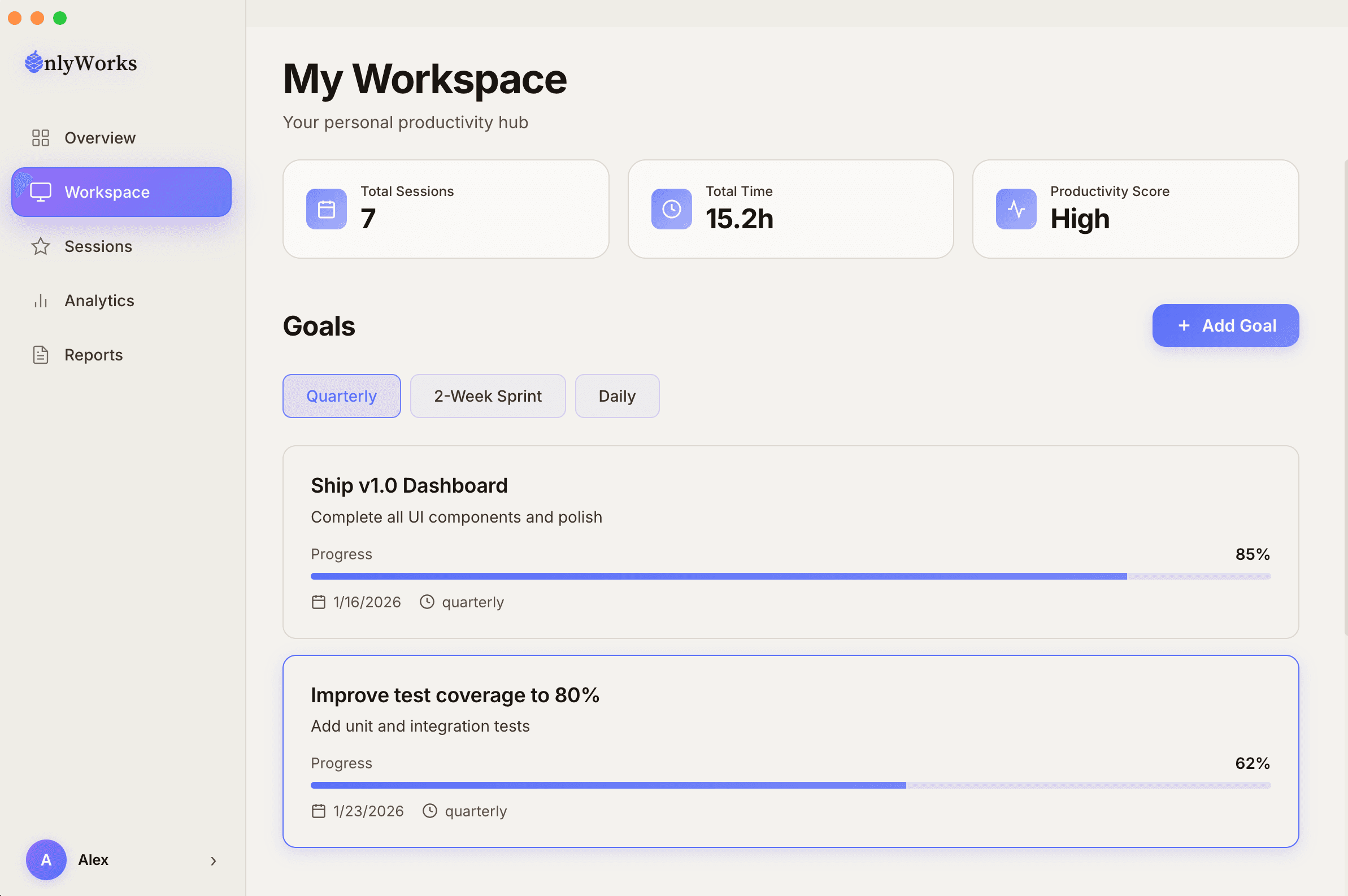
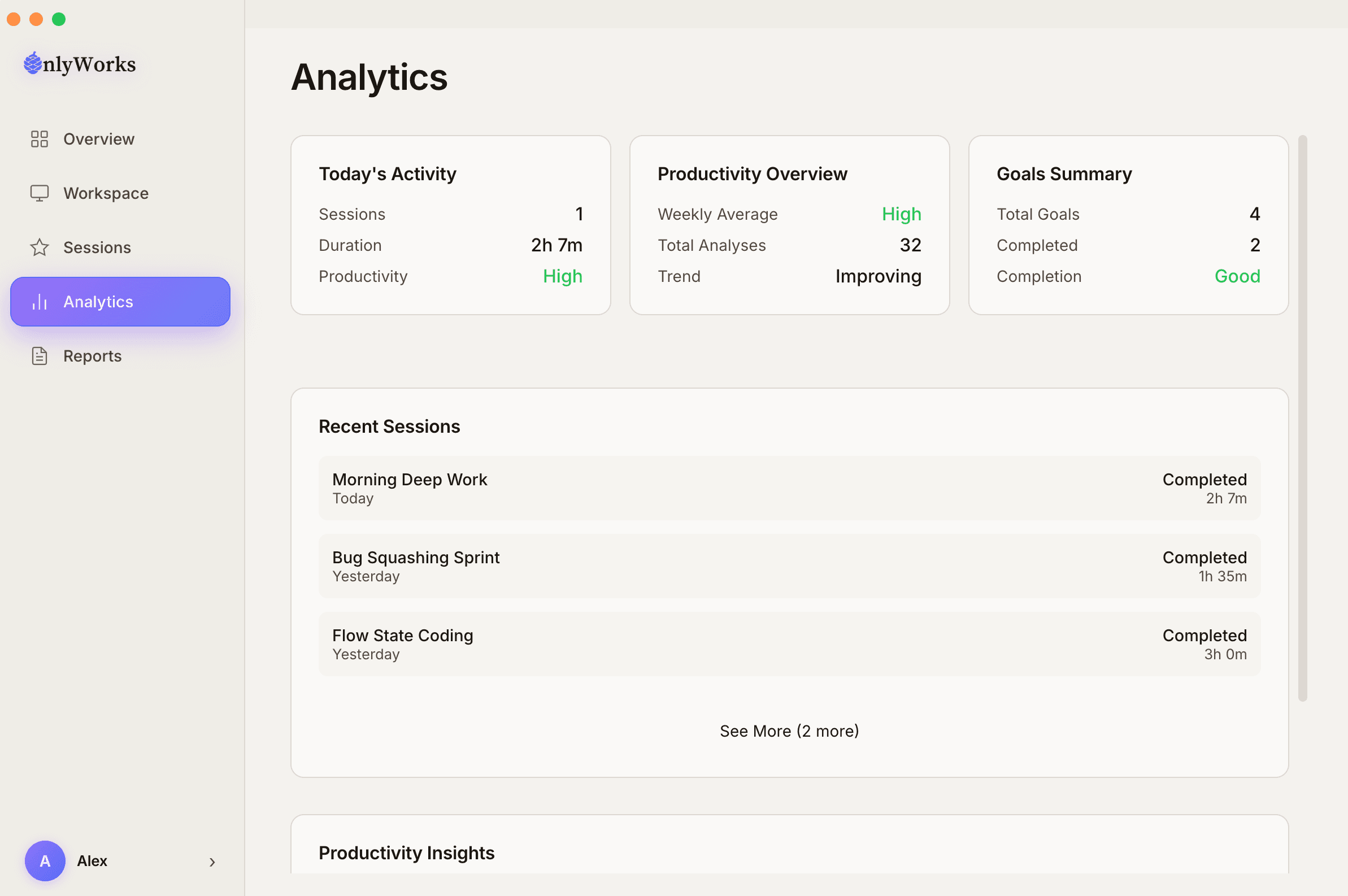
Overview
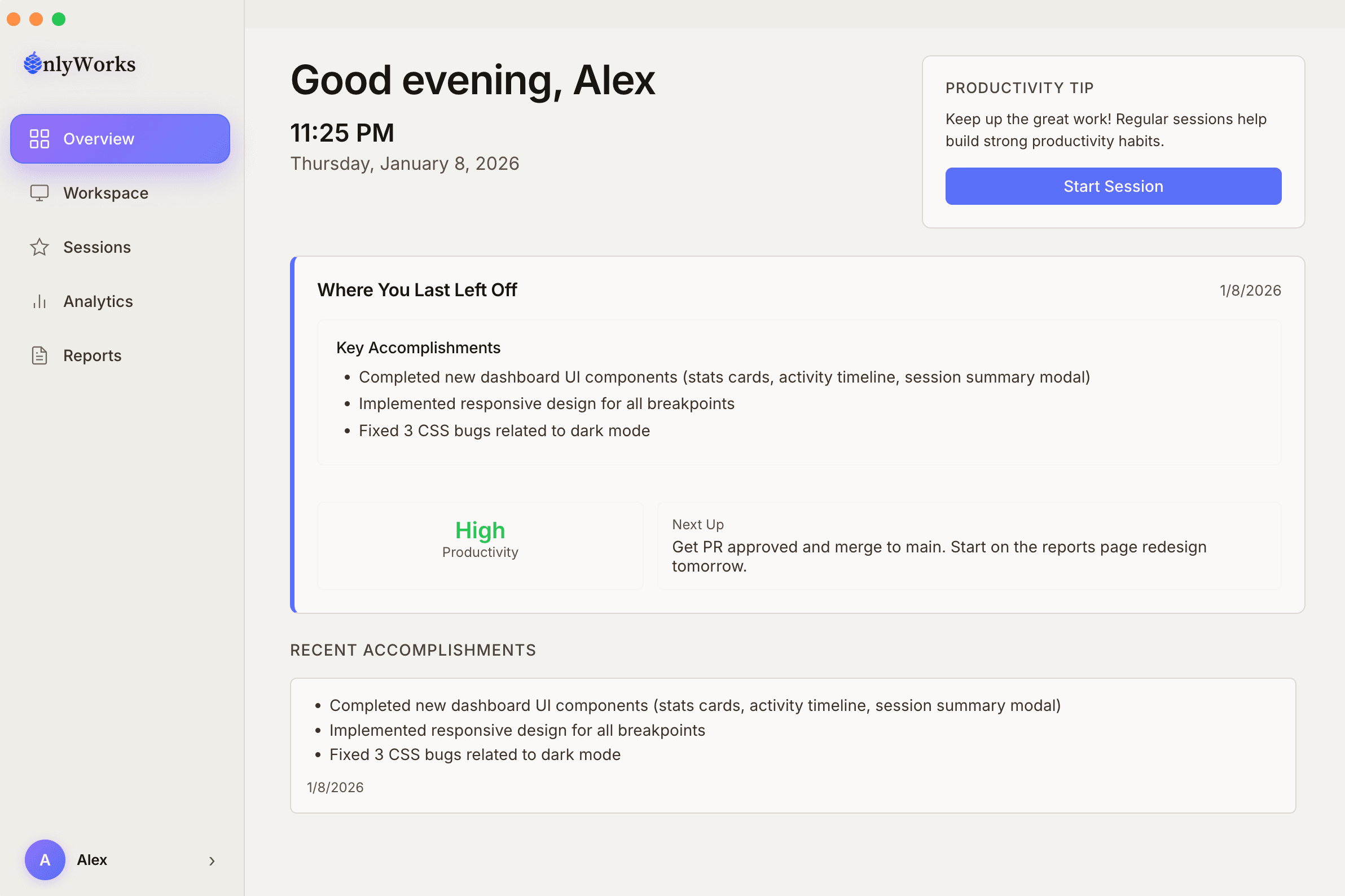
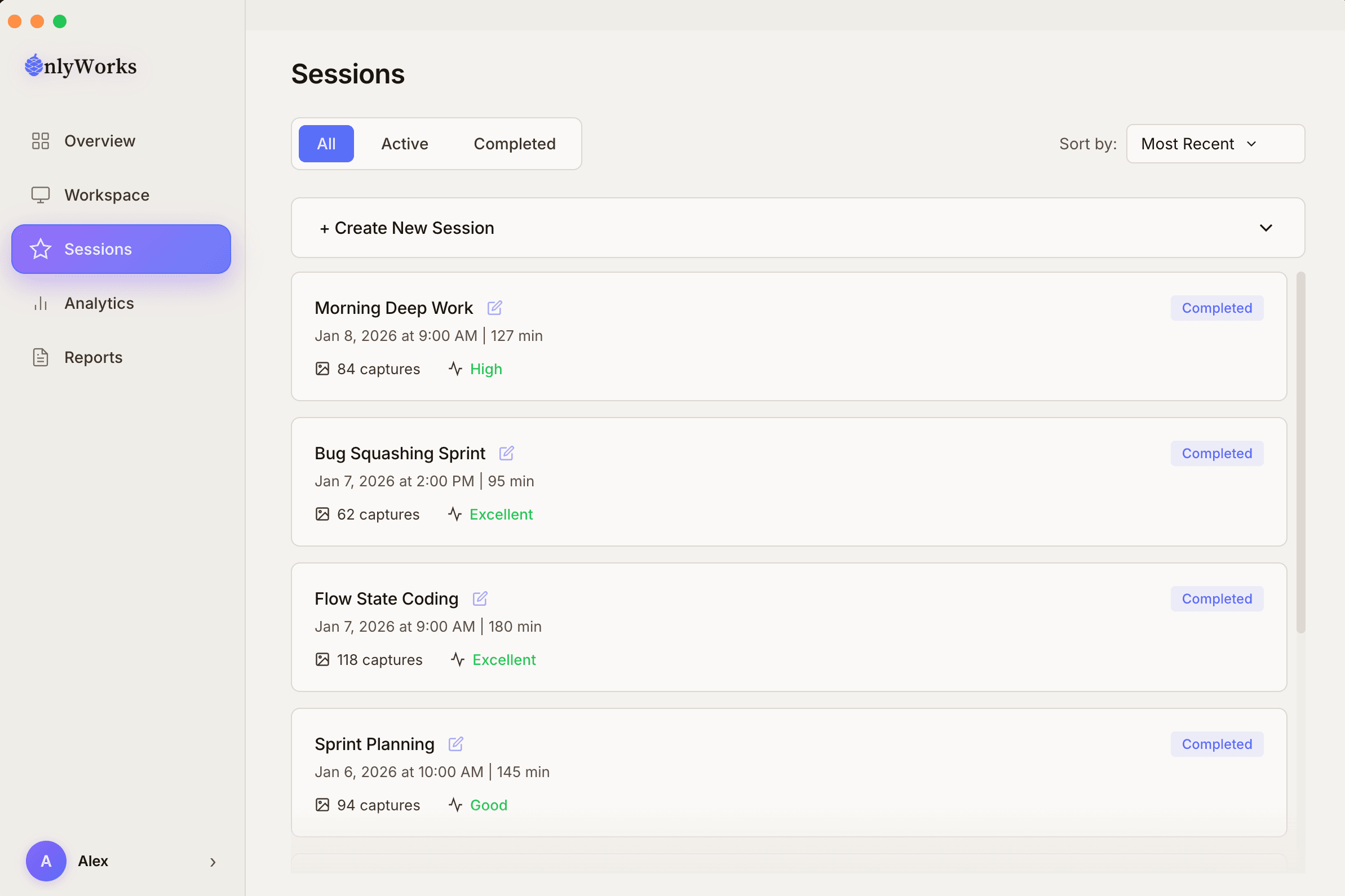
See your recent sessions and what you accomplished, at a glance.
A look inside the OnlyWorks app.
Every session
becomes a report.
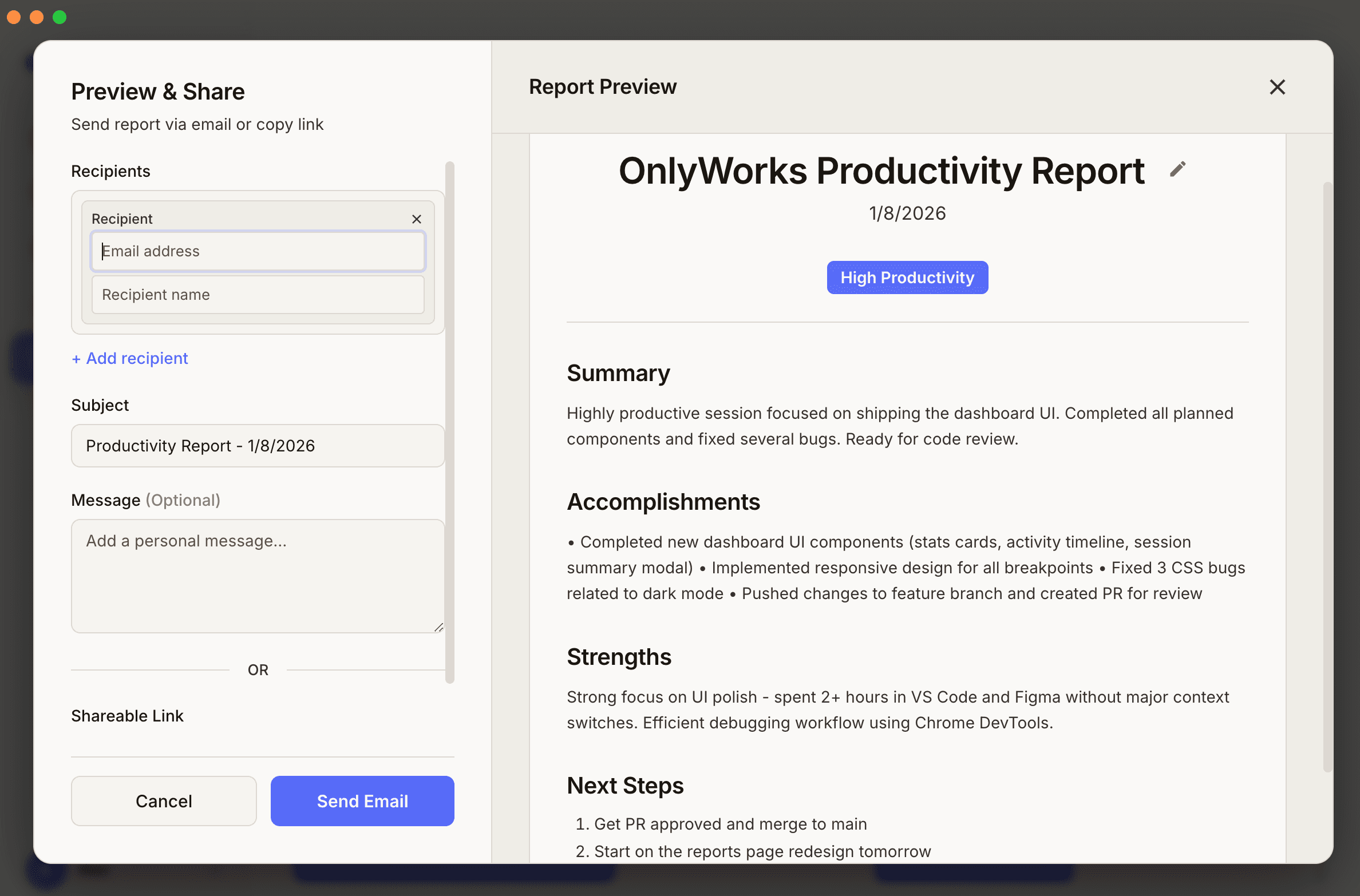
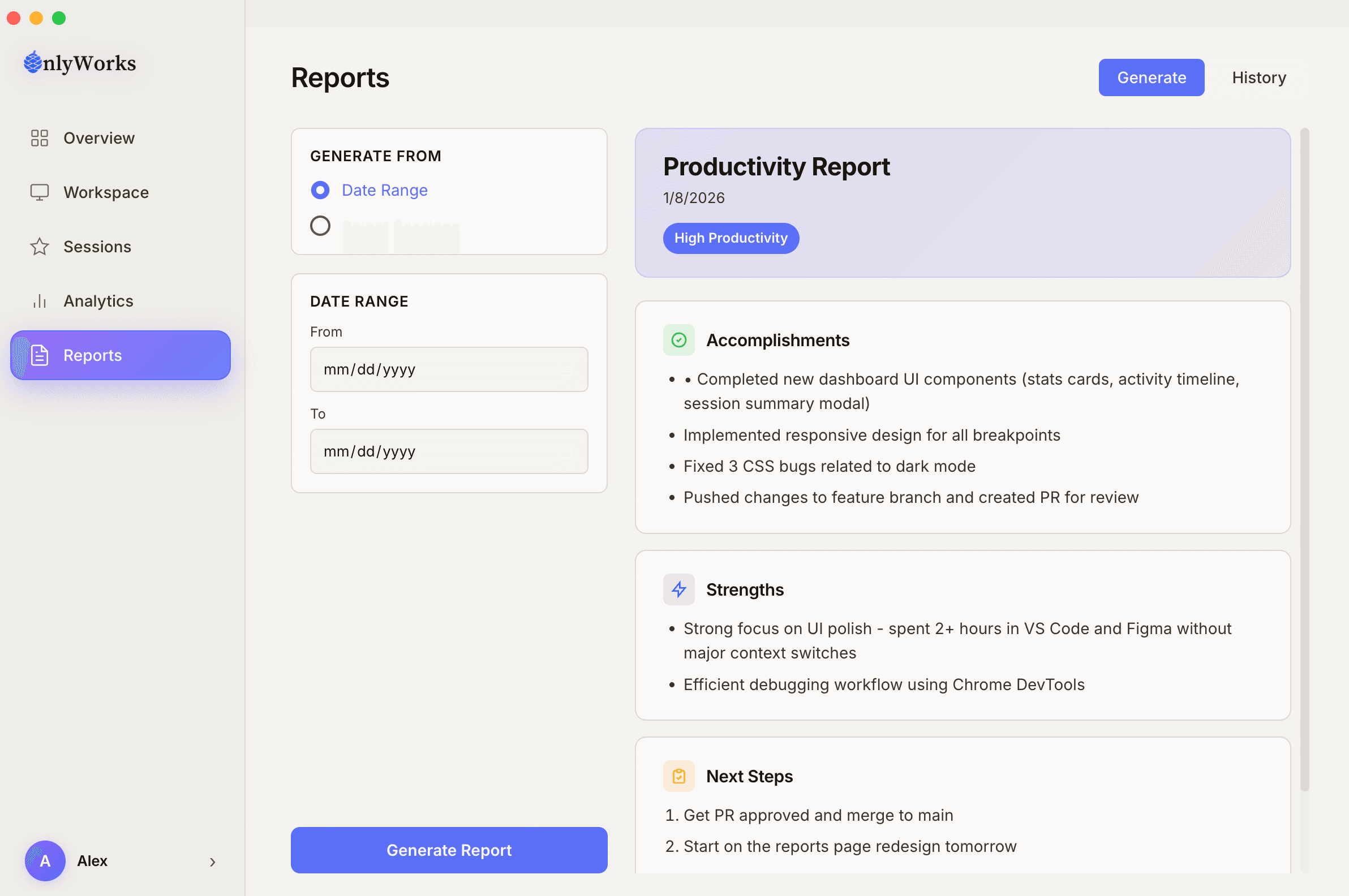
You don’t write it. When you end a session, OnlyWorks generates a report from your real work — here’s what’s in one.
Executive summary
What you got done this session, in a sentence or two.
Key accomplishments
The concrete things you shipped, fixed or moved forward.
Skills used
Each one tagged "Verified ×N" — corroborated across N of your sessions.
Strengths
What you’re consistently good at, with the evidence behind it.
Growth areas
Honest, specific suggestions — not filler.
Next steps
Where you left off, so picking back up is easy.
Yes. OnlyWorks is a free desktop app for macOS (Apple Silicon and Intel) and Windows. Sign in with Google, LinkedIn or email to get started.
While a session is running, it captures your on-screen work to build your report — and it only runs during sessions you start and stop. For exactly what's captured, who processes it, and how it's handled, see our Privacy Policy and Security page.
No. It only runs during sessions you start, it's a tool you use on your own work to build your own portfolio, and you decide what to share. The full picture of what's captured and how it's handled is on our Privacy and Security pages.
Your report is built from your real work during sessions, and an AI corroborates each skill against that work — so it's backed by evidence, not a self-reported claim. It isn't cryptographic or identity verification.
Those are self-reported claims. OnlyWorks reports are built from your real work sessions — actual skills, accomplishments and impact — and you decide what's shown and who can see it.
Yes, for job seekers. Generate reports, build your OW Profile and share verified proof at no cost. Hiring teams have paid plans — see our hiring page.
OnlyWorks runs alongside whatever you already use — VS Code, Figma, Chrome, Slack, Terminal and more. No integrations to set up; it fits into your normal workflow.
Email us at contact@only-works.com or use the contact form on our website. We respond within 24-48 hours.
Send proof,
not promises.
Install the app, run a session, and share your first verified report.
Free for job seekers. macOS and Windows.